Live on the Chrome Web Store

Know what's real,
without thinking about it.

A Chrome extension that shows the AI probability of every video you scroll past. Powered by forensic AI detection and a community-built library.

No account needed
3 free scans/day during testing
Works on all major platforms

No detector is 100% accurate. AI Video Score is a signal, not a verdict — use it alongside your own judgement.

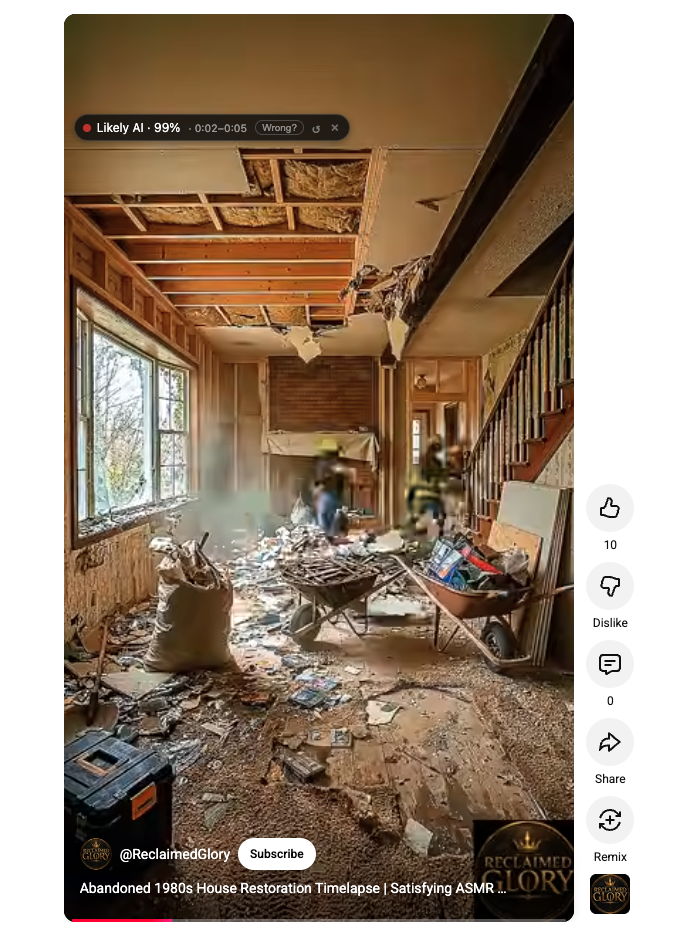
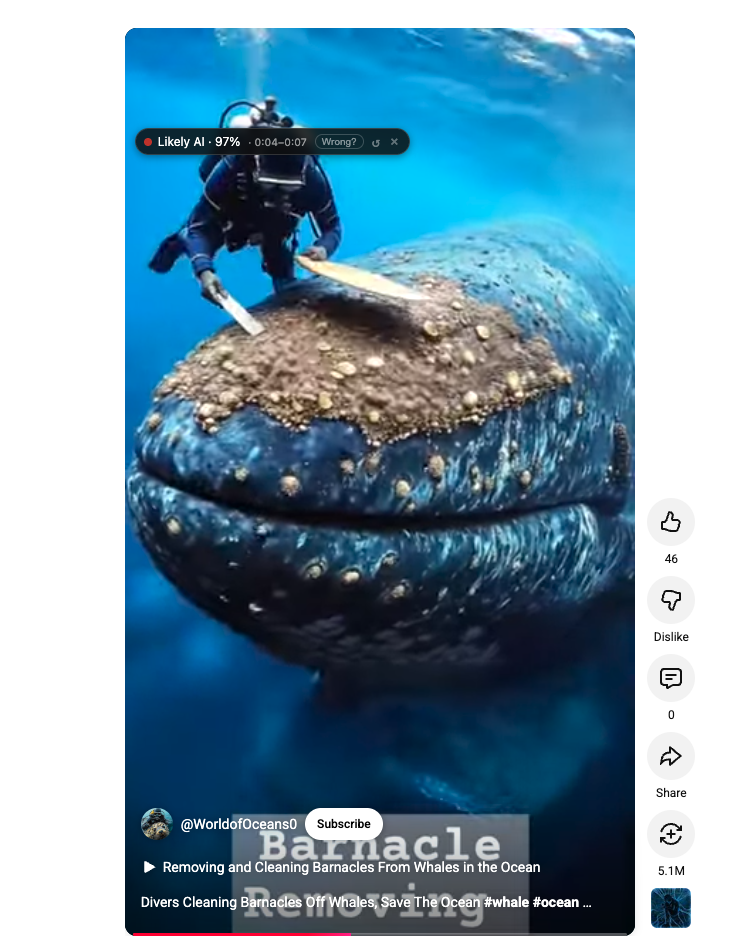
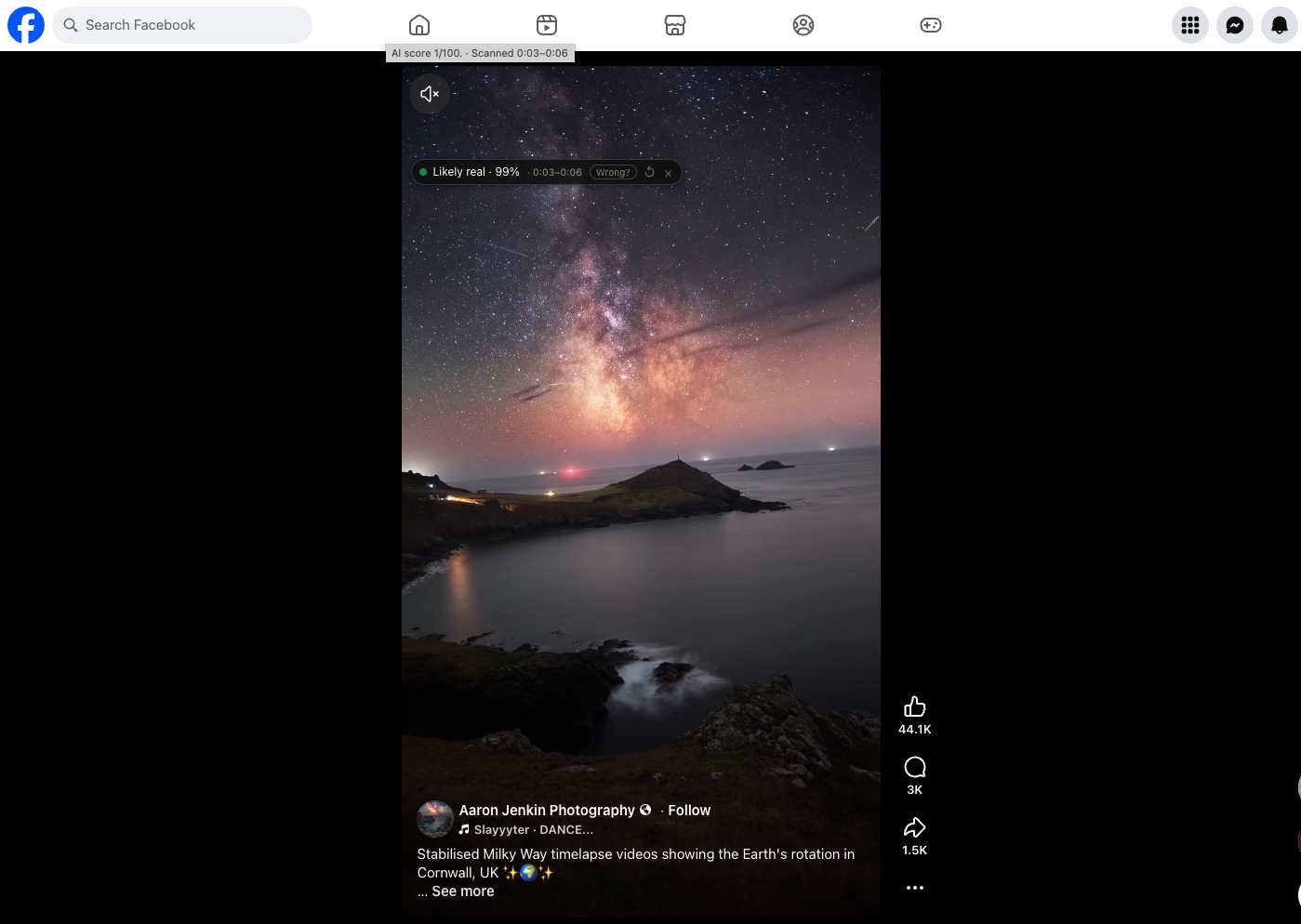
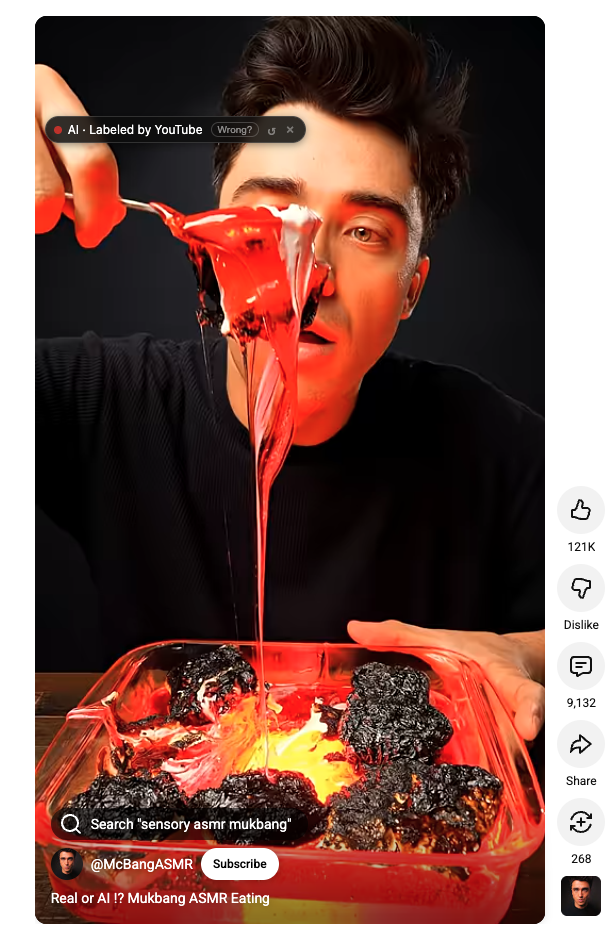
One badge per video. Across YouTube and Facebook.

Real footage · No edits to the badges · 38 seconds

Caught across YouTube, Instagram, and Facebook.
Real screenshots, real scores.

Instagram
58% AI detection on retro 1980s room video
58% AI · Possibly AI

"1984 retrowave bedroom"

Stylized synthwave aesthetic. Caught despite intentional VHS grain.

YouTube Shorts
75% AI detection on classroom cat video
75% AI · Likely AI

"Cat acting like a human"

Realistic classroom scene with AI-generated teacher and animals.

Facebook
98% AI detection on Muay Thai fighter video
98% AI · Almost certainly AI

"Muay Thai fighter"

Subtle artifacts most viewers miss. Caught in under a second.

YouTube Shorts
100% AI detection on Sora-generated video
100% AI · Almost certainly AI

"Bruce Lee vs cobra"

Generated with Sora. Watermark visible, detected at 100%.

Three steps. Then it disappears into your scroll.

No dashboards. No notifications. A small badge on each video. That's the whole product.

STEP 01

Install once

Add to Chrome in two clicks. Works on YouTube, TikTok, Instagram, Facebook, X, and Reddit.

STEP 02

Scroll normally

As videos load, a small badge appears with a percentage: 0–44% real, 45–84% likely AI, 85%+ almost certainly AI.

STEP 03

Keep watching

Results are cached in a shared library so common videos identify instantly. The longer you use it, the faster it gets.

Not one signal. Five.

AI detection isn't a single model — it's a stack of cheap, fast checks before falling back to paid scans.

That's why we catch what others miss: by the time pixel analysis runs, we've already checked keywords, channels, captions, and the community library.

See the full stack →
01

Community library

Has someone already scored this video?

~10ms
02

Platform AI label

Did YouTube tag it as AI-generated?

free
03

Keyword fingerprint

Title or description mentions Sora, Veo, Midjourney?

free
04

Comment signals

Are viewers flagging it as AI?

free
05

Deep pixel scan

Multi-frame forensic AI detection

Scrolling video used to be relaxing. Now half the energy goes into guessing what's real. This gives that energy back.

We tell you when we're not sure.

AI detection is a hard problem, even for paid commercial tools. We'd rather show our work than fake confidence we don't have.

+ STRONG AT
  • ✓ Photorealistic deepfakes
  • ✓ Sora, Runway, Pika output
  • ✓ AI faces and portraits
  • ✓ Self-disclosed AI content
  • ✓ Videos with AI watermarks
− STRUGGLES WITH
  • − Heavily stylized cartoon/anime
  • − Low-resolution or grainy clips
  • − Faux-archival VHS aesthetics
  • − Lightly edited real footage
  • − New AI tools we haven't trained on
i

AI Video Score is a signal, not a verdict. Use it alongside your own judgement — especially before sharing, citing, or making decisions based on what you see. For anything serious (news, evidence, deepfakes of real people), seek confirmation from multiple sources.

Things people ask before installing.

How accurate is it?+
Honest answer: no AI detector is 100% accurate, including ours. On clearly AI-generated content (Sora, Runway, Pika, photorealistic deepfakes) we score 90%+ confidence and rarely miss. On heavily stylized retro footage, animation, or low-resolution clips, even the best paid detectors struggle. We layer comments, keywords, channel signals, and community flags on top to catch those — but you should still use AI Video Score as one signal among many, not the final word.
What happens when it's wrong?+
Every badge has a "Wrong?" button. When a user flags a video as miscategorized, the report goes into our database. When enough users disagree on a score, the video gets re-evaluated. Over time the library self-corrects through community feedback. We'd rather show "Unverified" than guess wrong — borderline cases get a neutral label rather than a forced verdict.
Does it slow down my browser?+
No. The extension is about 120 KB and most popular videos are already in the shared library, so most results appear instantly with no scan needed. Only new, unseen videos trigger a pixel scan, and even those happen in the background.
What data is collected?+
Only the video URLs you scan and their resulting scores, anonymously, so the shared library works for everyone. No browsing history, no personal data, no account required. A randomly-generated device ID is stored locally so we can prevent the same person flagging the same video twice.
Is it really free?+
Yes. You get 3 free deep scans per day while we're in early testing. Community-cached results, AI-content labels, and hashtag detection are unlimited and don't count toward that. Each deep scan runs on a paid AI-detection service and costs real money, so a small, affordable credit-pack plan is available — and the free tier stays.
Which platforms does it support?+
YouTube, TikTok, Instagram, Facebook, X (Twitter), Reddit, LinkedIn, Vimeo, and SyncSketch. The extension only runs on these specific sites — it does not access banking, email, or any other websites.
Is a mobile version coming?+
A mobile share-sheet app for iOS and Android is on the roadmap. By the time it ships, the shared library will already cover most viral videos, so mobile users get instant results without spending scan credits.
Who's behind this?+
A small independent team based in Vancouver, Canada. No VC, no data resale, no ads. The product exists because we got tired of guessing too.

Stop guessing.
Start watching again.

Add AI Video Score to Chrome in two clicks. No account, no setup, no nonsense.

Add to Chrome — Free